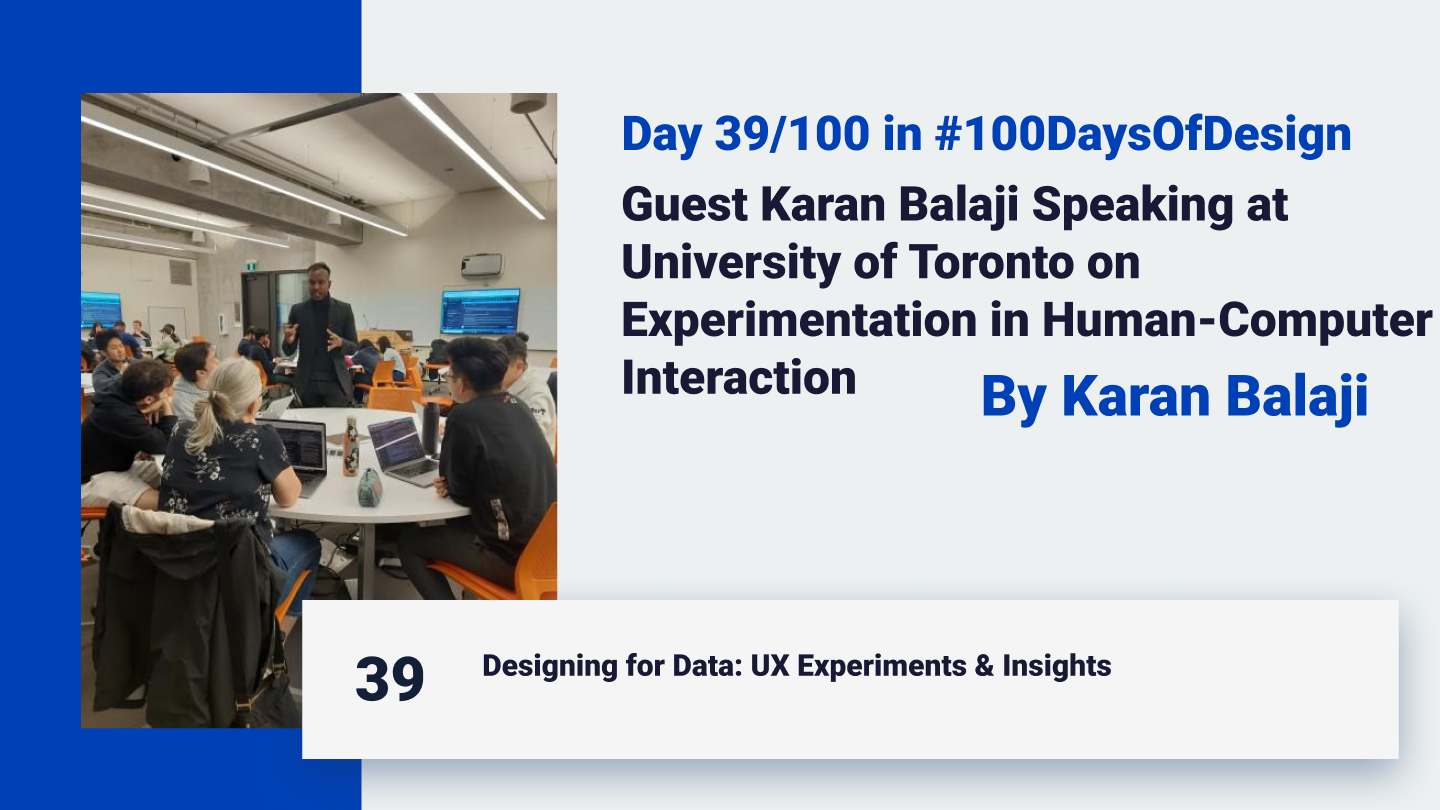
Day 39 of 100 Days of Design: Guest Karan Balaji Speaking at University of Toronto on Experimentation in Human-Computer Interaction
Introduction: Guest Speaking at UoFT Recently, I had the privilege of guest-speaking at the University of Toronto, invited by Joseph Jay Williams, to discuss a core component of human-computer interaction (HCI): experimentation and A/B testing. This ...
Introduction: Guest Speaking at UoFT
Recently, I had the privilege of guest-speaking at the University of Toronto, invited by Joseph Jay Williams, to discuss a core component of human-computer interaction (HCI): experimentation and A/B testing. This talk allowed me to share real-world insights from my design journey, focusing on how experimentation drives user-centered, data-driven products. The core principle of design is "Put yourself into the customer's shoes and see from every angle." When I A/B tested this principle itself—across how design could have been done with other tools and timelines—it revealed itself as a fundamental truth. A/B testing is crucial in design because, so far, only a few designers build from one subject domain perspective due to limited resources. However, in the AI revolution, we will increasingly use generative UI and even generative UX strategies to test from multiple angles, creating more flexible and holistic design solutions. Here’s an outline of the session, structured to give students a deeper understanding of design experimentation.
What: The Role of A/B Testing and Experimentation in HCI
In the session, I emphasized that every design choice is, in essence, a hypothesis. No matter how well-reasoned, our assumptions need validation through data. This is where A/B testing, experimentation, and metrics come into play.
A significant takeaway for students was understanding that design is never “final.” Continuous improvement is possible only by testing, measuring, and iterating.
Why: The Importance of Testing Hypotheses
The key message was that assumptions alone cannot drive successful design; only data and real-world testing can. By treating each design choice as a hypothesis, we can make evidence-based improvements rather than relying solely on intuition.
For example, in one of my previous startups, I noticed that about 60% of users were accessing the platform on mobile. I used this insight to test a hypothesis based on two core psychological principles—Fitts's Law and Hick's Law.
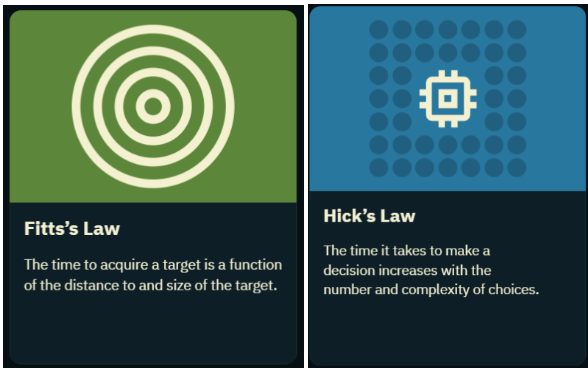
Applying Fitts’s and Hick’s Laws
Fitts’s Law: This law posits that the time to reach a target depends on its distance and size, which is crucial for mobile design where users often rely on their thumbs for navigation.
Hick’s Law: Hick's Law explains that having more choices can slow down decision-making. Simplifying the experience by optimizing button placement can make navigation more intuitive.
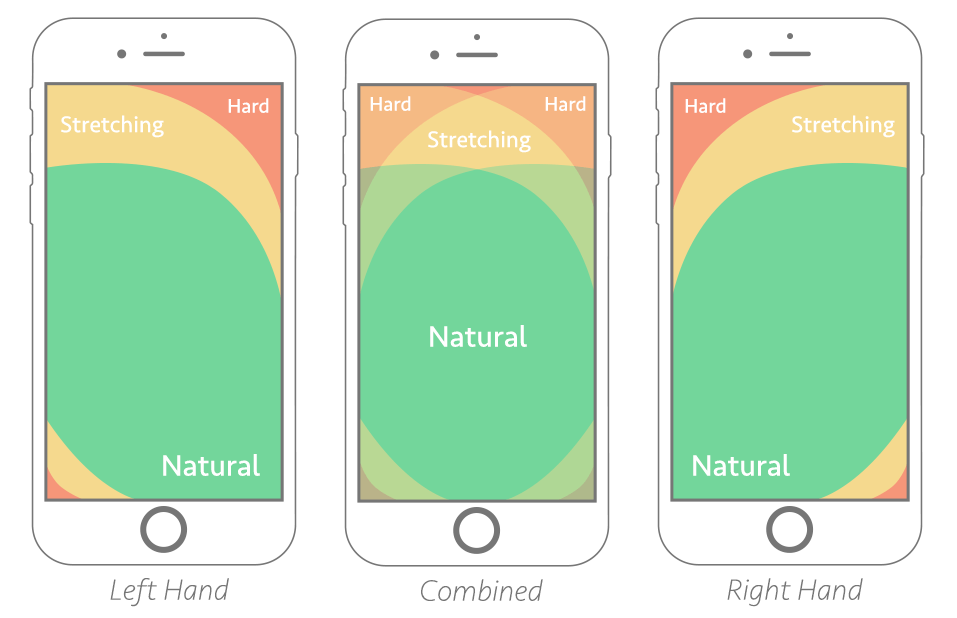
Source: Smashing Magazine
Hypothesizing that a bottom navigation bar could make key calls-to-action (CTAs) more accessible, I conducted an experiment. With this change, conversions increased by over 20% within two weeks, validating the hypothesis and demonstrating the power of data-driven design.
How: Building and Testing Multiple Hypotheses
I walked students through actionable steps on developing and testing hypotheses:
Identify Hypotheses: Every design change should begin with a clear hypothesis. For instance, “Placing CTAs within thumb reach on mobile will increase engagement.”
Set Metrics for Success: Define success metrics, whether it’s increased conversions, engagement, or specific click-through rates.
Gather Stakeholder Input: I involve stakeholders, such as the CMO, CTO, support teams, and customers, to gather varied perspectives on potential pain points. These insights often inspire additional hypotheses.
Implement and Measure Variations: After gathering input, I create multiple design variations and test them against the baseline to identify the best-performing version.
Tools of the Trade: Research, Design, and Project Management
To track, analyze, and bring hypotheses to life, I rely on several tools, each fulfilling a unique role in the design and experimentation workflow:
Google Analytics and Google Tag Manager: These tools allow for custom tracking, letting me evaluate detailed engagement metrics for each design element.
Hotjar: For in-depth behavioral research, Hotjar provides user session recordings, heatmaps, and insights like rage clicks, showing where users encounter frustration or drop off. This enables me to address issues beyond raw metrics, focusing on actual user behavior and interaction.
Figma: Figma is central to developing design hypotheses, especially the visual components. It allows me to experiment visually, crafting multiple iterations before finalizing designs for testing.
V0.dev: A recent addition to my workflow, V0.dev is a prompt-based tool for generating multiple UI designs. This is fantastic for brainstorming, as it helps me quickly explore different UI ideas and variations, making the process of conceptualizing and iterating more efficient.
GitHub Issues for Project Management: For managing tasks and tracking progress, I use GitHub’s Issues feature. I create tickets for each design and coding task, organizing them into a structured Kanban board. You can check out my active board here, where every project phase, from hypothesis to testing, is meticulously documented. This setup is invaluable for transparent project management, allowing me to keep experiments organized and collaborate effectively.
Together, these tools help me conduct research, design iteratively, and manage projects in a way that is outcome-driven and systematically refined based on data.
Inspiring Resource: Designing Like a Scientist
In line with the talk’s themes, I explained the concept to students linked to Navin Iyengar's **“Design Like a Scientist”** talk from Netflix, recorded on August 10, 2018. Navin explains how Netflix uses outcome-based testing to drive design decisions by experimenting with multiple variat[ions](https://github.com/users/karanbalaji/projects/2). This approach is similar to what I call **conversion-driven design** and aligns with a broader concept called **outcome-driven design**.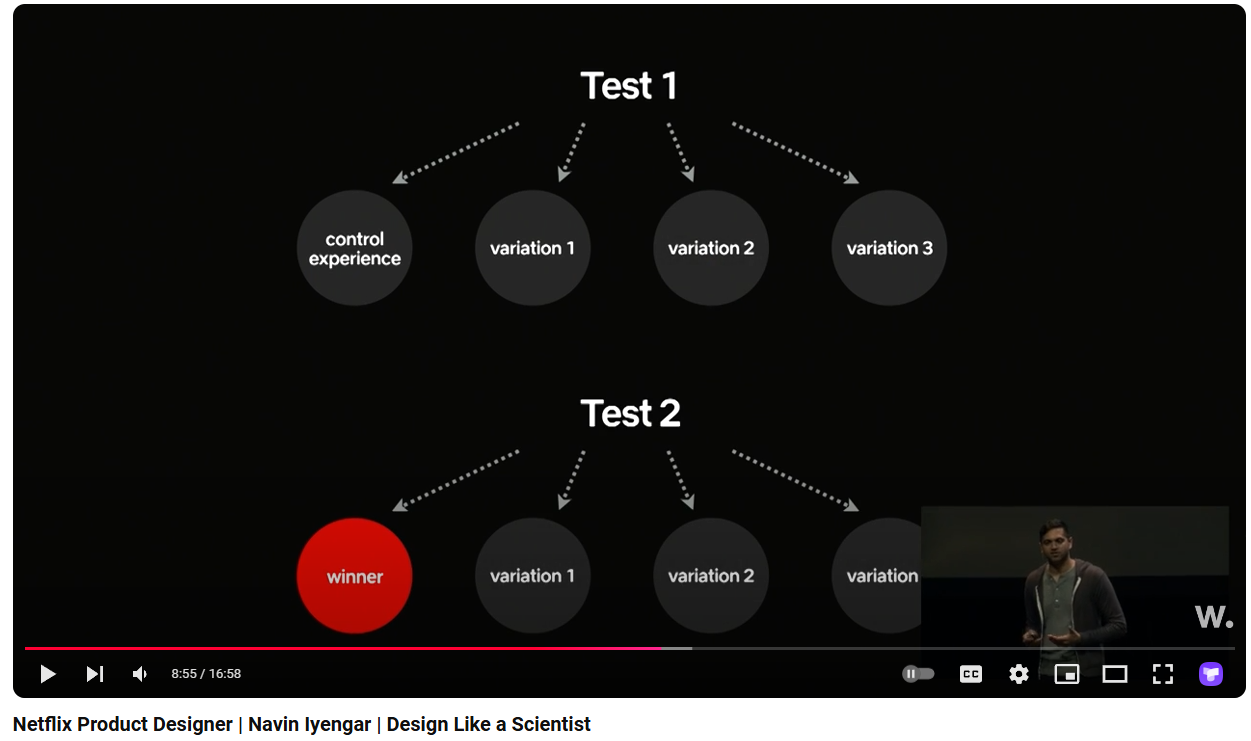
Even Nielsen Norman Group recently noted on March 22, 2024, that the future of design will blend generative UI with outcome-driven principles. For my A/B testing and experimentation, I often use tools like VWO and previously Google Optimize (which has since been sunsetted), which make it easy to implement, measure, and refine designs based on real user data.
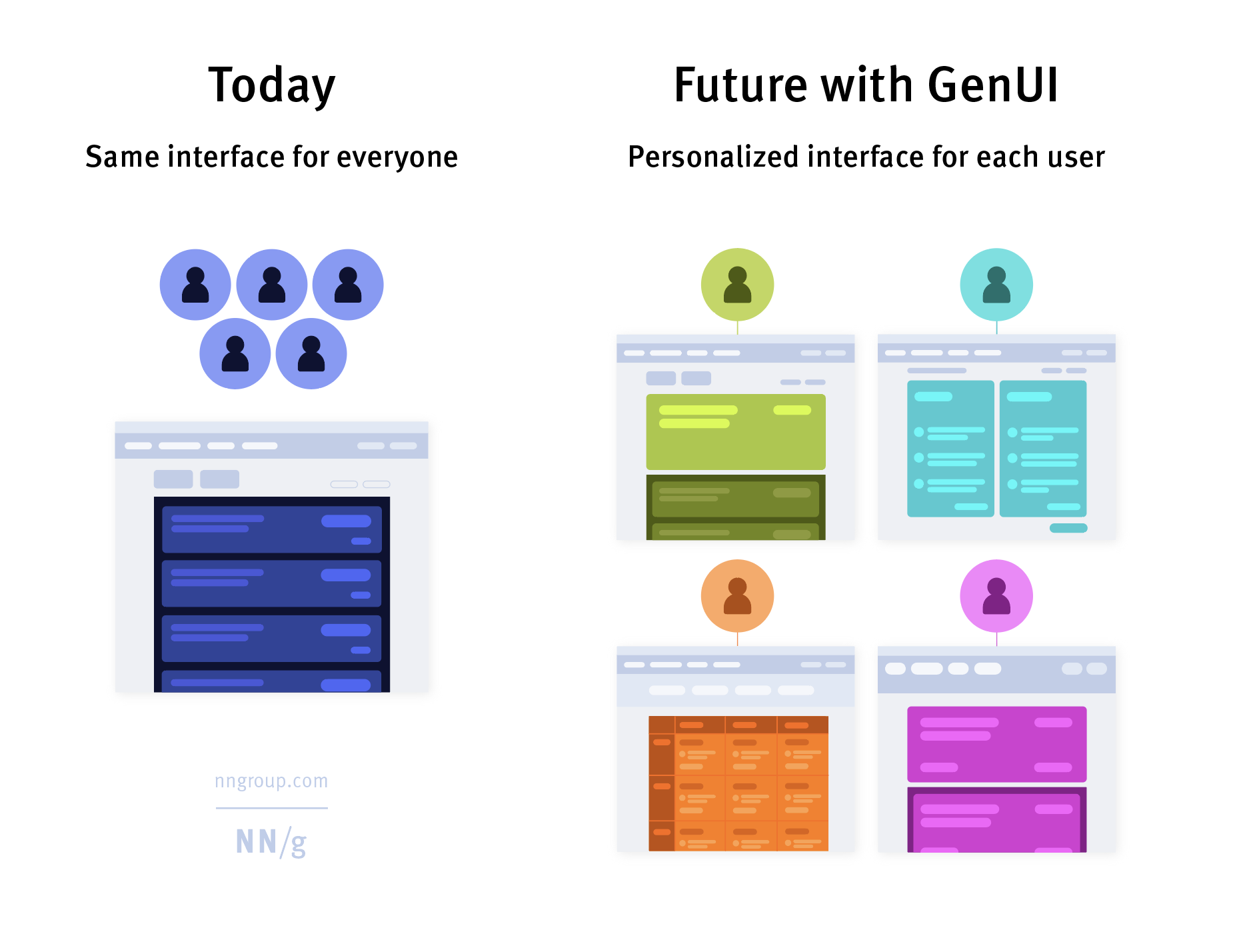
This concept of “design like a scientist” resonated well with the students, inspiring them to adopt a similar experimental mindset.
Question from Guoxiang Zhao: Collaboration After Handoff:
One of the most engaging moments was when a student, Guoxiang Zhao, asked, *“What do you do once your design work is handed off to the front-end developers? Do you continue refining the UI with them, or move on to the next project?”*My answer emphasized the iterative nature of design. Just as we treat initial design choices as hypotheses, we also validate the implemented design. I explained that I actively collaborate with the development team after handoff, measuring the design’s effectiveness and refining as needed. Experimentation is continuous, and success is proven only when real users interact with the design, with metrics confirming our goals.
Real-World Example: Resolving Stakeholder Feedback through Experimentation
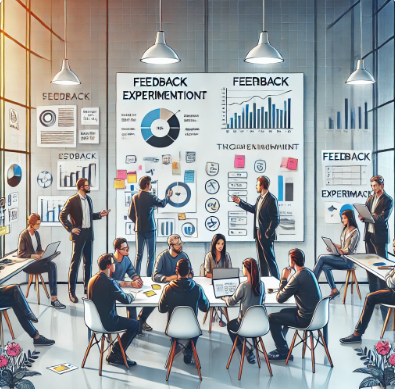
Finally, I discussed how experimentation helps navigate and validate stakeholder feedback. Often, team members—from executives to support staff—have diverse perspectives on design changes. By framing each idea as a hypothesis and testing it, I can systematically address everyone’s input, creating outcome-driven designs that satisfy both stakeholders and users.
Conclusion: Encouraging Experimentation Beyond Design
Speaking with U of T students was an inspiring experience. Their questions and enthusiasm showed a deep interest in exploring psychological and experimental perspectives in design. Through examples like applying Fitts’s and Hick’s Laws, I hope I illustrated that HCI is as much about understanding human behavior as it is about visual design. The students left with a newfound curiosity about testing from multiple angles, and I was reminded that experimentation is truly the key to effective, user-centered design.
Let’s keep iterating and experimenting!